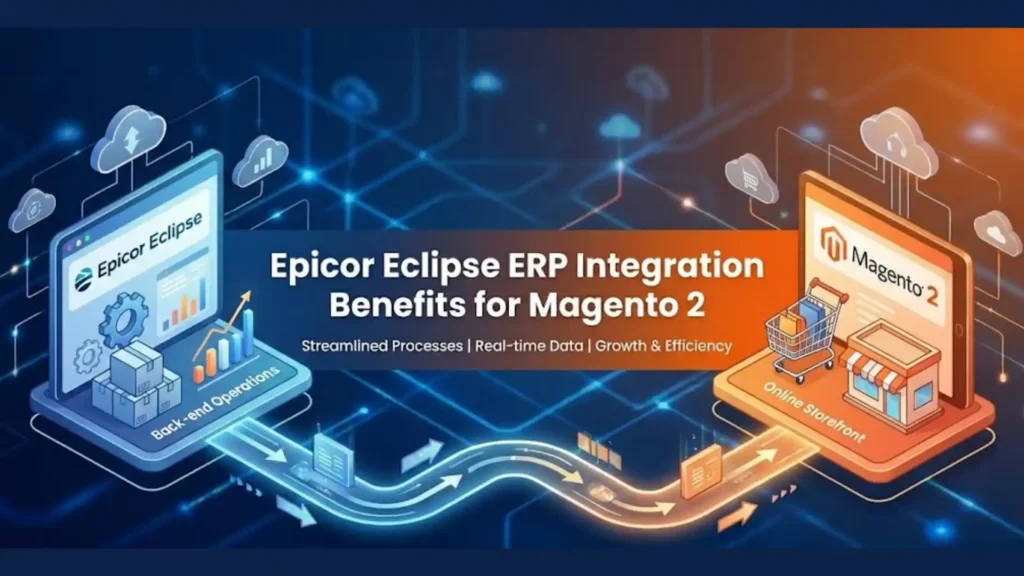
If you run your distribution business on Epicor Eclipse and sell online through Magento 2, your ERP and your storefront need to share one version of the truth. Customers expect to see their own contract price, real stock by branch, and their open invoices the moment they log in. Your counter and inside sales teams expect web orders to land in Eclipse without anyone rekeying them.
This guide explains:
- how an Epicor Eclipse ERP integration with Magento 2 (Magento Open Source or Adobe Commerce) works today
- which data moves in each direction,
- the integration methods available,
- how to choose between Magento editions,
- what a realistic project looks like.
It is written for electrical, plumbing, HVAC, and PVF distributors evaluating or rebuilding their eCommerce stack.
What is Epicor Eclipse ERP integration with Magento 2?
It is a two-way connection between the Eclipse ERP and a Magento 2 storefront. Eclipse stays the system of record for customers, products, contract pricing, inventory, orders, and invoices; Magento presents that data to buyers and sends web orders, quotes, and payments back to Eclipse.
How is it built? Most current projects use Epicor’s Eclipse API (REST endpoints for products, pricing, customers, inventory, documents, and more), either through a custom connector or a middleware/iPaaS layer.
Which Magento edition? Adobe Commerce includes native B2B features (company accounts, shared catalogs, negotiable quotes, requisition lists). Magento Open Source does not, so those features must be built or added via extensions.
What does it deliver? Fewer manual order entries, accurate customer-specific pricing online, live inventory visibility, and self-service account features that take routine calls off your inside sales team.
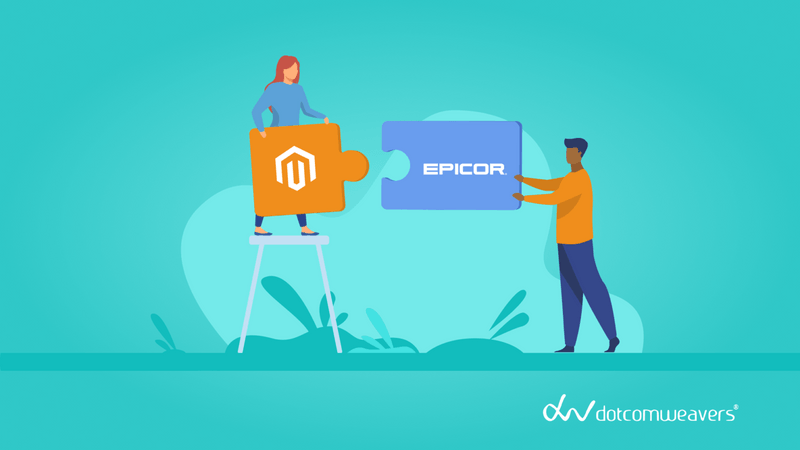
Eclipse Runs the Business. Magento Wins the Buyer.
Eclipse runs the business; Magento runs the buying experience. The integration’s job is to keep the two in sync without staff copying data between them.
Epicor Eclipse is a distribution ERP built for electrical, plumbing, PVF, and HVAC wholesalers. Its strengths include front counter, work queues, job management, inventory forecasting, EDI, and contract pricing. Epicor states Eclipse can be deployed in the cloud or on-premises.
Magento 2 is the eCommerce platform, available as free, self-hosted Magento Open Source or as licensed Adobe Commerce. It controls the catalog experience, search, account pages, checkout, and content.
| Area | System of record | What the buyer sees in Magento |
|---|---|---|
| Customers and ship-to addresses | Eclipse | Their company account and saved addresses |
| Products and attributes | Eclipse (often enriched in a PIM or Magento) | Product pages, filters, specs |
| Contract and matrix pricing | Eclipse | Their own net price after login |
| Inventory by branch | Eclipse | Stock availability and lead times |
| Orders and quotes | Created in Magento, processed in Eclipse | Order and quote history, status |
| Invoices and statements | Eclipse | Open invoices and online payment |
4 Ways to Eclipse Magento Integration
There are four practical ways to connect Eclipse and Magento 2, and the right one depends on how custom your pricing and ordering rules are.
The foundation for most of them is the Epicor Eclipse API. Epicor describes it as a REST integration layer on a .NET Core engine that enforces Eclipse’s own validation, with endpoints for products, pricing, documents, customers, inventory, and shipping. Additional bundles cover sales orders, purchase orders, price matrix, warehouse, accounts receivable, and accounts payable (Epicor Eclipse API). Confirm which bundles your Eclipse license includes before scoping.
| Method | How it works | Best for | Trade-offs |
|---|---|---|---|
| Custom connector (Eclipse API + Magento APIs) | A Magento module or service calls Eclipse endpoints directly | Distributors with complex contract pricing, jobs, or branch logic | Highest fit and full code ownership; needs an experienced team to build and maintain |
| Middleware / iPaaS | An integration platform maps and orchestrates data between both systems | Businesses connecting several systems (ERP, PIM, CRM, marketplaces) | Faster for standard flows; subscription cost; custom logic can be limited |
| Batch / ETL file sync | Scheduled exports and imports (CSV, XML, EDI) | Low-volume catalogs or a first phase | Simple, but data is not real time; pricing and stock can lag |
| Epicor Commerce Connect (ECC) | Epicor’s own eCommerce product with a native Eclipse link | Teams wanting an Epicor-supported storefront | Less control over front-end, extensions, and hosting; see our ECC vs Adobe Commerce comparison |
In DotcomWeavers projects, the common pattern is a hybrid: real-time API calls for price and availability at the moment a buyer views a product or cart, with scheduled syncs for large data sets such as the full catalog and customer list. This keeps pages fast while showing buyers accurate numbers.
7 Data Flows That End Order Rekeying
A complete integration covers seven data flows. Each one removes a manual task and closes a gap buyers notice.
| Data flow | Direction | Typical timing | What it solves |
|---|---|---|---|
| Customer and contact sync | Eclipse → Magento (new web registrations Magento → Eclipse) | Scheduled + on registration | Buyers log in to the right account with the right ship-to and terms |
| Product and attribute sync | Eclipse → Magento | Scheduled | One product master; no duplicate catalog upkeep |
| Contract and matrix pricing | Eclipse → Magento | Real-time at product/cart view, or cached | Each buyer sees their negotiated net price |
| Inventory by branch | Eclipse → Magento | Real time or frequent sync | Accurate availability and fewer backorder surprises |
| Orders | Magento → Eclipse, status back | Near real time | No rekeying; status, tracking, and backorders visible online |
| Quotes | Magento ↔ Eclipse | On request | Large or job orders follow your existing quote approval process |
| Invoices, statements and payments | Eclipse → Magento; payments Magento → Eclipse | Scheduled + on payment | Self-service invoice lookup and online bill pay |
- Account and Customer Mapping: Eclipse holds bill-to and ship-to accounts, contacts, terms, and credit status. Mapping these to Magento customers (or Adobe Commerce company accounts with multiple buyers) means a contractor’s purchasing agent and field staff see the same account, pricing, and order history.
- Customer-Specific Pricing: Contract pricing is the flow distributors care about most. Eclipse calculates price from customer, product, and matrix rules; the integration should ask Eclipse for that result rather than rebuilding the logic in Magento. Rebuilt logic drifts out of sync the first time your pricing team changes a matrix.
- Order and Quote Synchronization: Web orders should arrive in Eclipse as sales orders with the correct branch, ship-via, PO number, and job reference. Quote requests can route to your inside sales team in Eclipse, then return to the buyer’s account for online acceptance.
- Online Payments and Invoices: Showing open invoices and statements in the customer account, with online payment that posts back to Eclipse, reduces calls to accounts receivable. Confirm which payment processor and Eclipse payment components you use before scoping this flow.
7 Payoffs of Eclipse ERP Integration with Magento 2
The payoff shows up in three places: your operations team, your customers, and your sales numbers.
- No more rekeying web orders. Orders flow straight into Eclipse, which removes a daily manual task and the errors that come with it.
- Accurate contract pricing online. Buyers see the same net price they get at the counter, so they trust the site and stop calling to confirm.
- Real inventory visibility. Branch-level availability helps contractors decide where to pick up or whether to wait, reducing backorder friction.
- Self-service accounts. Order history, invoice lookup, reorders, and online payment answer the questions that otherwise tie up inside sales and AR.
- One product master. Product data maintained in Eclipse (and enriched where needed) keeps the website and ERP from drifting apart.
- Faster repeat ordering. Quick order by SKU, reorder from history, and saved lists suit the way trade buyers restock.
- A platform that can grow. Magento’s extension ecosystem and API-first architecture let you add PIM, punchout, marketplaces, or a mobile app later without replacing the ERP link.
Compared with a storefront that is not connected to Eclipse, an integrated site turns eCommerce from a catalog into a working sales channel your customers can rely on.
Open Source or Adobe Commerce? Pick the Right Magento for Eclipse
Both editions integrate with Eclipse in the same way; the difference is how much B2B functionality comes built in.
Adobe Commerce includes a B2B module that Adobe marks as exclusive to Adobe Commerce (Adobe Experience League). Company accounts are the base entity; shared catalogs provide company-specific pricing levels; negotiable quotes support buyer–seller price negotiation; and requisition lists speed up repeat orders (Adobe Commerce B2B introduction). These map naturally to Eclipse bill-to accounts, contract pricing, and quotes.
| Factor | Magento Open Source | Adobe Commerce |
|---|---|---|
| License | Free | Paid license (starts from ~$22,000) |
| Company accounts with multiple buyers | Build or add via extension | Native |
| Company-specific catalogs and pricing | Build or add via extension | Native (shared catalogs) |
| Negotiable quotes | Build or add via extension | Native |
| Requisition lists and quick order | Build or add via extension | Native |
| Hosting | Self-managed | Adobe-managed cloud or self-managed |
| Best fit | Smaller catalogs, simpler pricing, tighter budget | Multiple buyer roles, quote-heavy sales, larger catalogs |
With either edition, contract price calculation should still come from Eclipse. Shared catalogs in Adobe Commerce control what each company can see; Eclipse remains the source of the net price.
Moving Eclipse to the Cloud? Don’t Break Your Storefront
If you are moving Eclipse to the cloud, plan the storefront integration at the same time. Epicor offers Eclipse in the cloud as well as on-premises (Epicor Eclipse brochure; Epicor product tour).
A cloud move changes how the website reaches the ERP. Direct database connections or on-premises scripts used by older integrations usually stop working. API-based connections are the durable choice because they do not depend on where Eclipse is hosted.
Before a cloud migration, check three things:
- Connection method: does your current integration use the Eclipse API, or older file drops and database access?
- API bundles: do you license the endpoints you need, such as sales orders and price matrix?
- Timing: can the storefront cut-over be scheduled so web orders are not lost during the ERP move?
Our 6-Step Eclipse–Magento Integration Playbook
A successful integration is decided in discovery, not in development. Most problems trace back to pricing rules or account structures that were not mapped up front.
- Discovery and data audit. Review Eclipse account structure, pricing matrices, branches, product data quality, and the API bundles you license.
- Data mapping. Map every Eclipse entity to its Magento equivalent: bill-to and ship-to to company and addresses, item to SKU, price matrix to price requests, order fields to sales order fields.
- Architecture decision. Choose real-time, scheduled, or hybrid for each flow, and a custom connector or middleware.
- Build and configure. Develop the connector, configure Magento (and Adobe Commerce B2B features if used), and design account pages around what your buyers actually do.
- Test with real accounts. Validate pricing and orders against a sample of real customers and edge cases, such as job pricing, credit holds, and backorders.
- Launch and monitor. Go live with logging and alerts on failed syncs so issues are caught before customers notice.
Timelines depend on the number of data flows, pricing complexity, and whether the storefront is new or being rebuilt. We give a timeline after discovery rather than a generic estimate.
For the mistakes to avoid at each step, read Epicor Eclipse with Adobe Commerce Integration: Common Mistakes & Fixes.
Case Study: Wallington Plumbing Supply
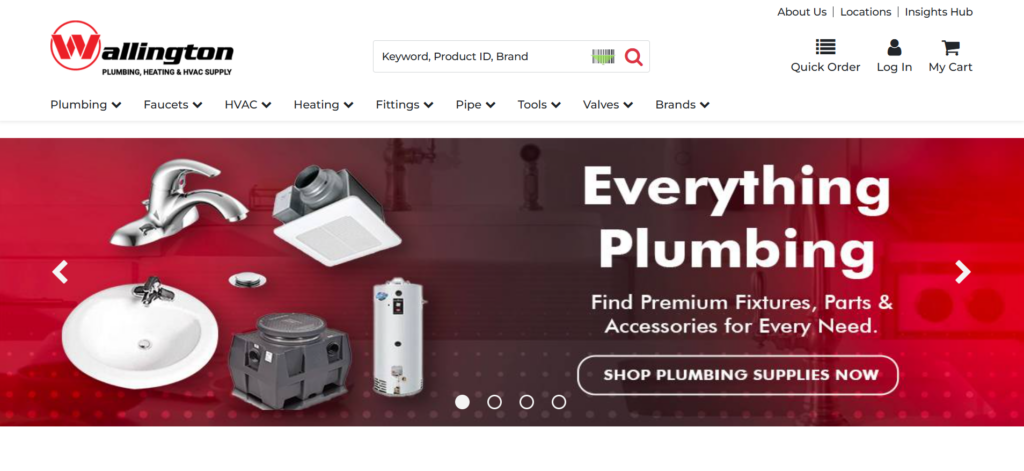
Wallington Plumbing Supply paired a rebuilt Magento storefront with Epicor Eclipse integration, inventory automation, and SEO, and conversions jumped 160%
The Problem: A Site Working Against Sales.
Wallington’s website was holding the business back:
- An outdated design that was hard to navigate and not mobile-responsive.
- Limited product search that frustrated buyers and lost sales.
- A weak eCommerce setup that capped online revenue.
- Inventory that was hard to manage without a streamlined system.
- Poor SEO that left them nearly invisible in a competitive market.
- No analytics, so there was no way to see what worked.
Tech Stack & Key Features Implemented
- Magento
- Epicor Eclipse ERP integration
- Product search & filtering
- Automated inventory
- B2B sales workflows
- Omnichannel commerce
- SEO optimization
- Data analytics (GA4, Clarity) integration
The Solution: Magento, Eclipse, and a Buyer-First Build
DotcomWeavers built a clean, fast Magento site and connected it to Eclipse:
- A mobile-friendly redesign for smooth navigation.
- Advanced product search and filtering so buyers find parts quickly.
- Secure eCommerce features for seamless transactions.
- ERP integration with Eclipse and automated inventory management to cut stock errors.
- An SEO-optimized site structure to increase visibility.
- Analytics integration and a user-friendly admin dashboard to track and improve performance.
Final Result: More Conversions, More Sales, More Reach
- Conversions rose 160% on a smoother
- Online sales grew 25%
- Mobile engagement rose 30%
- Customer-friendly experience
- Better search rankings brought in new customers
How DotcomWeavers Helps Eclipse Distributors Win Online
DotcomWeavers builds B2B eCommerce for distributors and connects it to Epicor Eclipse, so your site sells as hard as your counter staff. If any of these sound familiar, we can help.
| Sound familiar? | How we fix it |
|---|---|
| Web orders get rekeyed into Eclipse | We integrate Magento with Eclipse so orders, pricing, inventory, and invoices sync automatically |
| Your site is outdated and hard to navigate | We design fresh, mobile-friendly storefronts that make browsing easy |
| Customers can’t find the right product | We build advanced search and filtering so buyers find parts fast |
| Your eCommerce setup limits online sales | We add B2B features such as account pricing, quick order, and secure checkout |
| Inventory control eats up time | We automate stock updates from Eclipse to cut manual work and errors |
| You don’t show up in search results | We build SEO into the site structure and content so buyers find you |
| You can’t stand out in a crowded market | We shape a digital strategy that highlights your strengths |
| You can’t see what’s working | We set up analytics so you can track and improve every part of the site |
FAQ’s
Can Epicor Eclipse integrate with Magento 2?
Yes. Eclipse integrates with both Magento Open Source and Adobe Commerce through the Epicor Eclipse API, using either a custom connector or middleware. The integration syncs customers, products, contract pricing, inventory, orders, quotes, and invoices.
Do I need Epicor Commerce Connect to connect Eclipse to an online store?
No. Epicor Commerce Connect is Epicor’s own eCommerce product, but Eclipse can also connect to Magento 2 through its API. Many distributors choose Magento for more control over design, extensions, hosting, and code ownership.
Can Magento show Eclipse contract pricing to each customer?
Yes. The integration requests each logged-in customer’s net price from Eclipse, either in real time or from a regularly refreshed cache. This keeps online prices consistent with what customers receive at the counter.
Should an Eclipse distributor choose Magento Open Source or Adobe Commerce?
Adobe Commerce suits distributors needing company accounts with multiple buyers, negotiable quotes, and company-specific catalogs, because these are native features. Magento Open Source suits simpler pricing and smaller catalogs, with B2B features added through extensions or custom development.
Does moving Eclipse to the cloud affect my Magento integration?
It can. Integrations that rely on direct database access or on-premises scripts usually need rework. API-based integrations work whether Eclipse is hosted in the cloud or on-premises.